

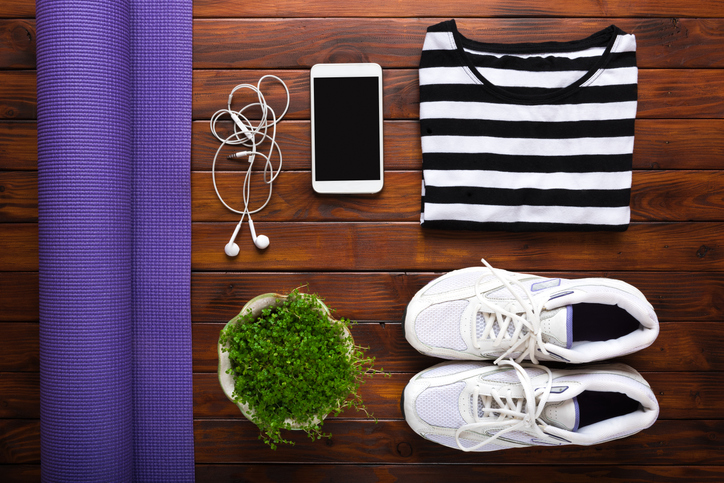

Here’s a rundown of how technology is helping us with personal improvement, caregiving for family members, and personal safety – plus where to get started. If you’re not using mobile apps to help you accomplish these things, they may be worth a serious look.
How To Decide Which Health Tech To Use
Read Reviews and Use Sound Judgment
“Beware of marketing that sometimes makes claims that are a little bit far-fetched. If it sounds goofy, it probably is,” says Joseph Kvedar, MD, a practicing dermatologist and professor of dermatology at Harvard Medical School. FDA evaluation focuses on safety and less so on clinical validity. That means, approval shows the device will not hurt you, but not that it will necessarily help you.
Another issue: Companies often present scientific studies to back up their claims, but what you don’t realize is that the studies are on the theory behind the gadget but not on the actual gadget itself, says Dr. Kvedar. Before shelling out a lot of money, read online reviews and consult with your doctor.
Coordinate With Your Physician
You may want a health monitoring device just for your own information or to stay on track with various therapies and exercises. If you want your doctors involved, discuss potential tools and apps with them first to see if they could benefit from accessing your data. Some apps can transfer data directly to your healthcare team.
Check Into Insurance Coverage
Insurance may cover some—but not all—health technologies, and coverage varies from plan to plan. For guidance, work with your physician’s office or your insurance representative.
A Rundown of Popular Health Tech Tools
The keys to living longer include staying active, continually growing and learning, and staying on top of your health and medical needs. Today’s technologies can help you more easily do all of the above.
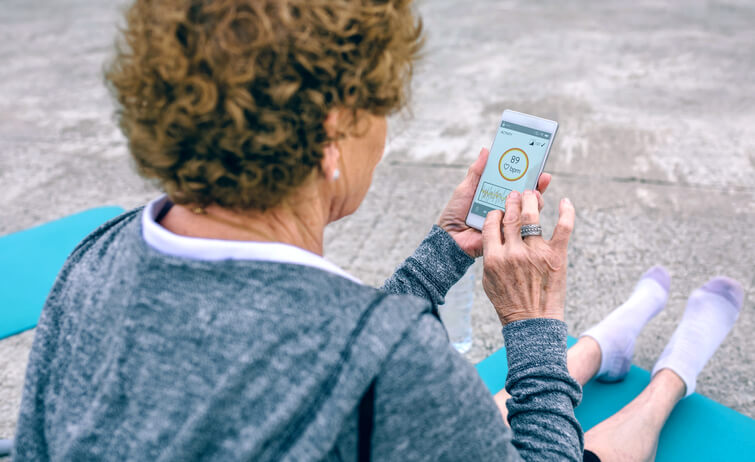
Healthcare Management Apps
If you take medications or need reminders, RefillRx (free) will help you refill prescriptions with one click.
Sleep Apnea Apps
Today, there are apps that can help you determine if you have sleep apnea. You can download apps such as Snore Control, ApneaApp and SnoreLab onto your phone, leave your phone by your bed, and the app lets you know if you have breathing troubles that could point to sleep apnea. See your doctor if an app reports suspicious events.
Other CPAP apps, such as ResMed AirSense 10 and the Philips Respironics DreamStation, can transmit your data directly to your physician if you’re already using continuous positive airway pressure (CPAP) therapy to treat sleep apnea.
Wireless Blood Pressure Monitors
At-home blood pressure monitors can help you keep track of your heart rate and pressure numbers, alerting you if you need to see your doctor or visit the ER. But be careful: At-home blood pressure monitors can be inaccurate. Check out the ones approved by the U.S. Blood Pressure Validated Device Listing. Also, show your doctor how you take your pressure to make sure you are doing it correctly.
Exercise Trackers and Apps
It is well established that increased activity can add to life expectancy, and fitness tracking has become one of the most popular ways to use technology for health.
You can use Apple Health on your iPhone or pedometers such as FitBit or 3DActive to track your daily steps. The Fitbit Charge 5 measures your heart rate, skin temperature and stress levels. Many of these many exercise apps can be downloaded to your smartwatch, Apple or Android phone, or exercise tracker.
Other trackers are built into exercise equipment. Peloton offers stationary bicycles, treadmills and indoor rowers connected to screens that stream live and on-demand fitness classes through a subscription service. A leaderboard kicks up the motivation level, and the equipment records data such as resistance, distance, calories burned, heart rate and more so you can monitor your progress.
Other apps include:
- MyFitnessPal (free), which helps you keep track of your nutrition and activity, tracking calories and ingredients, and logging your activities.
- MapMyWalk (free), which will log your walk or run, keeping track of your distance and routes and helping you meet fitness goals.
Menopause Apps
Some apps that can help menopausal women track and deal with symptoms. Evernow recently released a new mobile app that follows your symptoms and downloads data to their medical team. The team then develops a personalized course of care, and the company even offers medication delivery.
Balance, a free app, also tracks menopause symptoms and provides access to personalized expert content and a support group forum.
Mindfulness and Stress Relief Apps
When it comes to finding inner peace, there are lots of tools that promise to help. Here are just a few:
- Relaxing Rhythms is biofeedback app teaches you how to relax your body and mind.
- Happify helps minimize stress and anxiety by showing how to manage your thoughts.
- Muse S uses a headband equipped with electroencephalography (EEG) sensors to follow brain activity, heart rate, breathing and body movements during sleep and meditation, and data is downloaded to your computer or smartphone. It then teaches you how to guide your thoughts to a calm and settled state.
- Headspace (free) helps you relax and sleep better with guided meditations and mindfulness techniques that take just a few minutes each day.
- The Mindfulness App (free for seven days, then $9.99 per month) offers personalized guided meditation sessions, mindfulness courses, meditation reminders and mindful notices to keep you focused throughout the day.
- Calm (free for seven days, then $14.99 per month or $69.99 per year) helps you learn the life-changing practice of meditation with breathing exercises, sleep stories to help you fall asleep, classes taught by renowned experts, nature sounds and music to help you relax.
Caregiving Technology
If you’re caring for an aging parent or other relative while continuing to manage your own household, career, and life, technology may help you find balance and keep all your bases covered.

Technology for Managing Health Information
Apps can help you safely and securely manage your loved one’s health information, such as insurance coverage, medical files, and medications—even emergency response, organ donation, and advance directive information.
If you share caregiving duties with others, such cloud-based apps can allow you to share access to your loved one’s information and sync events on your calendars to make sure everything is covered. Consider these:
- CareZone(free) allows you to store medication information, insurance information and online account credentials; document symptoms; keep track of appointments; access timely tips and relevant health information; and share securely with others.
- FollowMyHealth(free) allows you to communicate securely with your loved one’s healthcare team, schedule appointments, view test and lab results, request prescription refills, and pay outstanding bills.
- MyDirectives(free) allows you to record and share your (or your loved one’s) organ donation status and healthcare directives information in case of an emergency.
Patient Monitoring Apps
As the caregiver, you have to get away from time to time. When you do, mobile apps can provide round-the-clock patient monitoring.
- eCare21 (free) is used in conjunction with wireless monitoring devices, such as your loved one’s smart phone, allowing you to track their glucose, heart rate, calorie intake, medications, activity, and sleep from wherever you are.
Medication Monitoring Apps
Similarly, a number of apps allow you to stay posted on whether your mom or dad has taken medications at the right time and in the right dosage.
- Medisafe (free) tracks medications and reminds your loved ones to take them at the right time and in the right dosage.
- PillDrill (free) will also remind your parent when to take their meds and notify you when they’ve done so. It’s an easy way to keep tabs when you can’t be with them all the time.
Location Sharing Technology
GPS technology on your smartphone or mobile device allows you to keep up with family members (and allows them to keep up with you).
- Life360 allows users to check in and see where their loved ones are located at any time of day or night, helping increase both your peace of mind and your family’s ease of communicating with each other.
More than 90% of adults ages 50 and up own a computer or laptop, and 70% own a smartphone, according to AARP research. If you have one of these devices, you also have access to a growing assortment of emerging technologies focused on personal safety and wellness.
Personal Safety Technology
When you don’t have to worry about personal safety, you can be free to shop, travel, visit friends and do whatever you like without fear. These apps and technologies allow you to stay active, do the things you enjoy, and feel secure.
Emergency Alert Apps
Apps like Noonlight (formerly SafeTrek) allow users to discreetly call for help if they’re in a situation that feels unsafe. When you hit the alert button, you have a short amount of time to enter your PIN to show you’re safe. If you don’t enter your PIN, local police will be alerted and given your location.
Home Security Technology
A number of apps and technologies are available to help users keep their homes safe. Beyond the standard alarm systems, there are affordable security cameras like Ring.com, which offer companion apps to allow you to see who’s at your front door from wherever you are—whether inside your home or away on vacation.
Safe Driving Technology
As we age, it can be increasingly important to monitor our driving habits for safety. Telematics is a branch of technology that uses GPS and onboard diagnostics to gather information about a driver’s on-road activity, such as:
- braking and cornering speed or acceleration
- the amount of time spent behind the wheel
- the time of day when driving
This information assesses your driving habits—and you may qualify for auto insurance policy discounts because of your safe driving practices.
The Hartford customers can download and register on the TrueLane app to be eligible for a discount of up to 15%.^ Based on how well you drive, you could earn a discount of up to 40% when you renew.
Be Connected, Be Well
Maintaining a healthy lifestyle—along with relationships with the people we care about—can be important components to living a longer, happier life. And technology continues to find ways to help us do that better, such as with the apps mentioned here.
^ Not available in all states, terms and conditions apply.



Calm is not exactly free, it uses the freemium model. It has a free 7-day trial, and a limited free version, but to access all of its features is costs $14.99/mo or $69.99/yr. It also has a lifetime membership for $399.99.
All you access for free is daily meditations.
Thank you – we have updated the article accordingly!
What about making a will?
Hi Jeanette, thanks for reaching out! You can learn more about wills in this Extra Mile article: https://extramile.thehartford.com/lifestyle/finances/wills-101/
best medicine reminder app ,Dawai.help.
Thanks for this amazing list! I always love reading your blog, I have been using the premium version of Ripple Meditation on the app store recently and its amazing I can definitely recommend. I have noticed such a difference in my mood day to day.
Thanks for the points you have provided here. One more thing I would like to express is that laptop or computer memory requirements generally rise along with other breakthroughs in the know-how. For instance, whenever new generations of processors are introduced to the market, there is certainly usually a similar increase in the size and style calls for of both the pc memory in addition to hard drive space. This is because software program operated by simply these processor chips will inevitably increase in power to use the new technological know-how.
It’s best to participate in a contest for among the finest blogs on the web. I will recommend this site!